Possible errors for LDAP connection
Resilio Connect Management Console shows the error message returned by LDAP server as is. Below are most common errors with possible solutions.
Invalid login / password
Check that the username you apply contains domain prefix, i.e. supplied in format <domain_name>\username
Connection failed
- Verify that the Active Directory controller is reachable from the host running the Management Console.
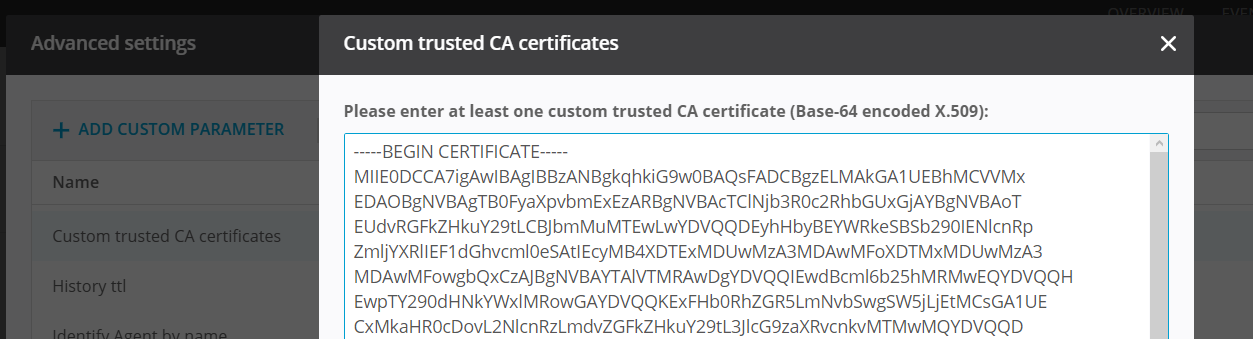
- If your LDAP server uses a self-signed certificate or a certificate from a non-trusted CA, you need to provide the CA certificate. You can add it either to Trusted Root Certification Authorities certificate store on Windows (applicable to Resilio 6.0 and newer), or add it in the Management Console under Settings > General > Advanced settings > Custom trusted CA certificates.
LdapErr: DSID-0C090266, The server requires binds to turn on integrity checking if SSL\TLS are not already active on the connection
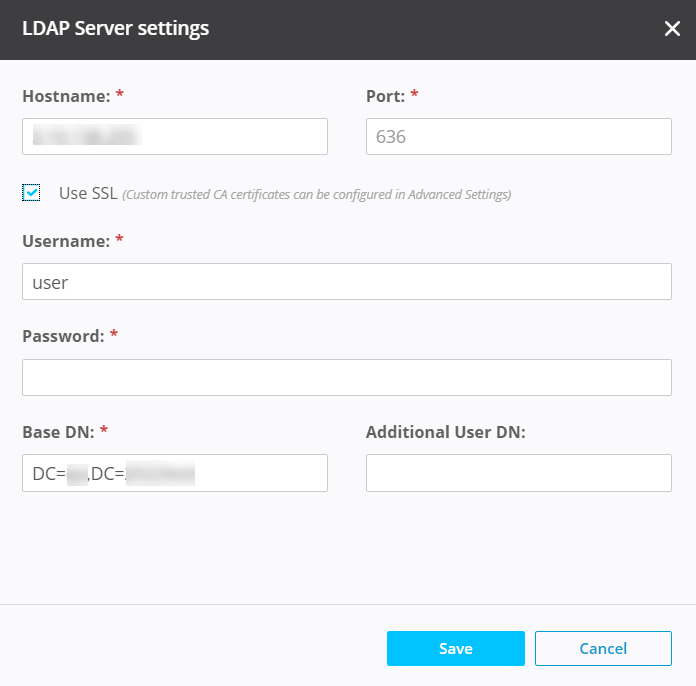
This error indicates that your active directory requires secured connection. Enable it both - on your AD and in Management Console (select the Use SSL option).
LDAP server ldaps://xxxxxxxx:636 is not supported
This error indicates an attempt to connect to an unsupported LDAP server. The Management Console supports only Active Directory.
Cannot connect to LDAP server ldaps://<server>:636, error: Error: unable to get local issuer certificate
Management Console is unable to verify your CA or intermediate CA of your AD certificate. Try exporting your whole certificate chain as Base64 encoded certificates and enter it to Settings > General > Advanced settings > Custom trusted CA certificates
Cannot connect to LDAP server: ERR_TLS_CERT_ALTNAME_INVALID
The AD server's actual hostname does not match the server's name in certificate field "Subject Alternative name". Can be resolved with:
- Issuing another certificate where "Subject Alternative name" matching actual server name.
- Renaming server so it matches the certificate field "Subject Alternative name".
-
Suppressing the check by applying environment variable
NODE_TLS_REJECT_UNAUTHORIZED=0.
On Windows, the variable must be applied to system-wide environment variables (requires operating system restart).
On Linux, ensure that the environment variable setting reaches your Management Console. It can be set just before launching thesrvctrl.Warning
Note that suppressing this check lowers your overall system security.
Note
Option to suppress the check is not available in Resilio 6.0 and newer.
NameErr: DSID-03100238, problem 2001 (NO_OBJECT)
Selected subset of objects (users) by your Base DN is too narrow and does not include users. Try removing extra components and select upper level (usually it works on the OU=Users level).
Any other error not listed above
- Check your "Base DN" one more time, it may contain a mistake
- Clean your "Additional DN" and try again - it's used in very rare cases