Disabling peer-to-peer connection topology
Resilio Active Everywhere is based on peer-to-peer technology with Agents participating in a Job forming a distributed network of nodes. Out of the box, Active Everywhere is set up to facilitate data transfers between as many Agents as possible. However, in some cases this is not desirable, and it's required that some or all Agents communicate only with select endpoints.
Examples of such cases are:
- Slow, expensive or unstable network between the Agents. For example, Agents are in the field and it's desirable that they only upload to and download files from a central server with good WAN connection.
- Network shaping - If Agent is connected and is synced with only one or a few remote Agents, it's easier to configure and manage incoming/outgoing connections and control network utilization.
- Prioritize Agents - In setup with disabled peer-to-peer connectivity, main servers will receive the new data first and only then distribute it to other Job participants.
This can be done regardless of where the Agents are located - LAN or WAN - and can be achieved by making the following changes in an Agent Profile.
Important
It's advisable update profiles before job creation.
To disable peer-to-peer connection topology, in the Agent Profile:
-
Set the Use tracker parameter to
No.Note
- Applicable to Resilio Active Everywhere 2.11 and older.
- In Resilio Active Everywhere 2.12 and newer, do not disable the tracker server if you choose to use the Allowed peers parameter, as the tracker server is required for Agents to learn about their peers.
-
Set the Lan discovery mode parameter to
Disabled.Note
Mandatory for Agents located in LAN.
-
Edit the Known hosts parameter and add IP addresses or hostnames along with listening ports of Agents to which connection will be established.
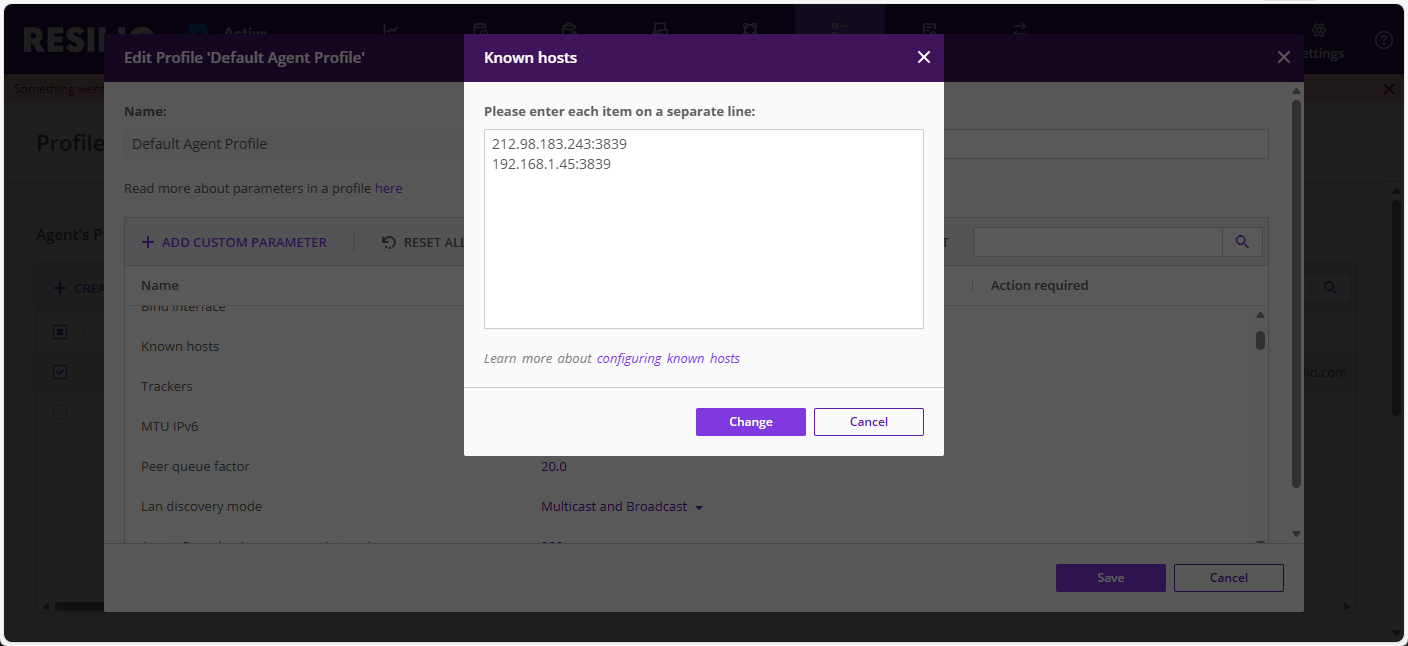
Note
Specifying known hosts is your only option in Resilio Active Everywhere 2.11 and older. In Resilio Active Everywhere 2.12 and newer, this parameter can be used to complement the Allowed peers parameter, but it's not required.
Important
Make sure that these addresses are accessible and port forwarding is configured correctly. If you use DNS name, make sure it's resolved into a reachable address for this Agent.
-
Edit the Allowed peers parameter and add identifiers of Agents that the given Agent is allowed to connect to.
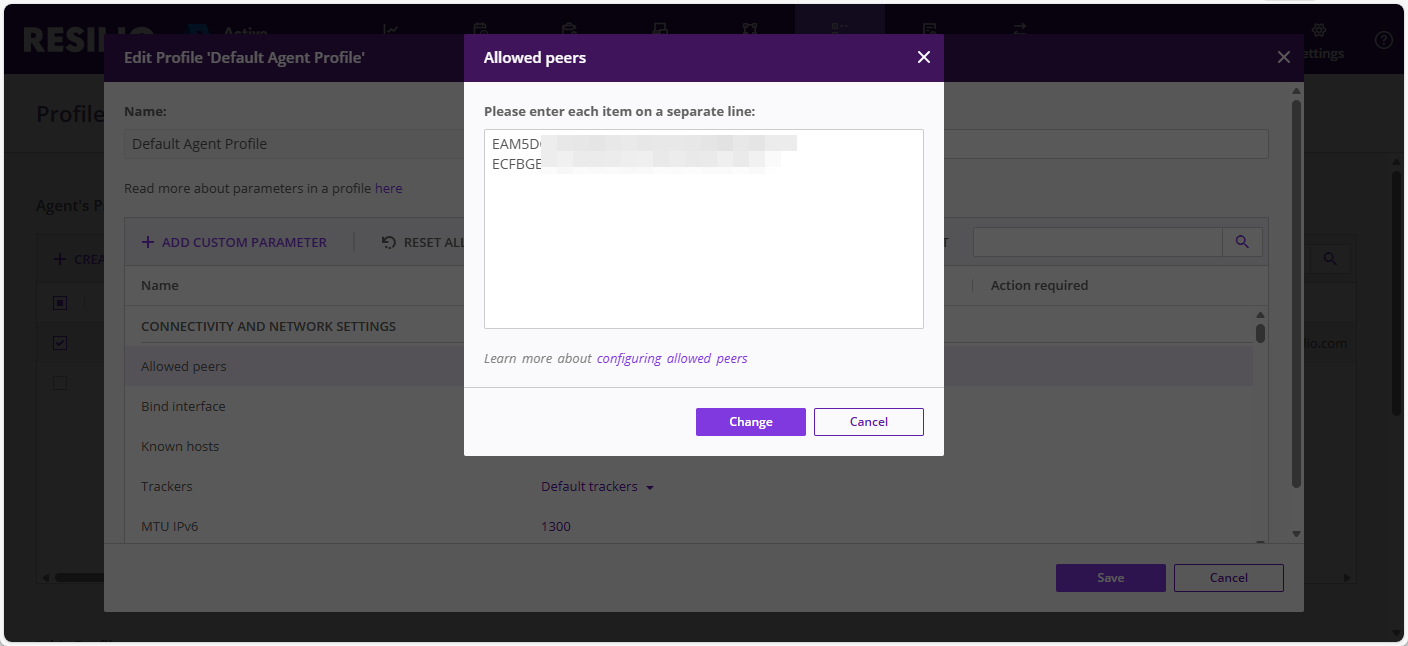
Note
- Available in Resilio Active Everywhere 2.12 and newer.
- Agents determine how to connect to their allowed peers through the tracker server, so make sure that the tracker server is enabled.
Tip
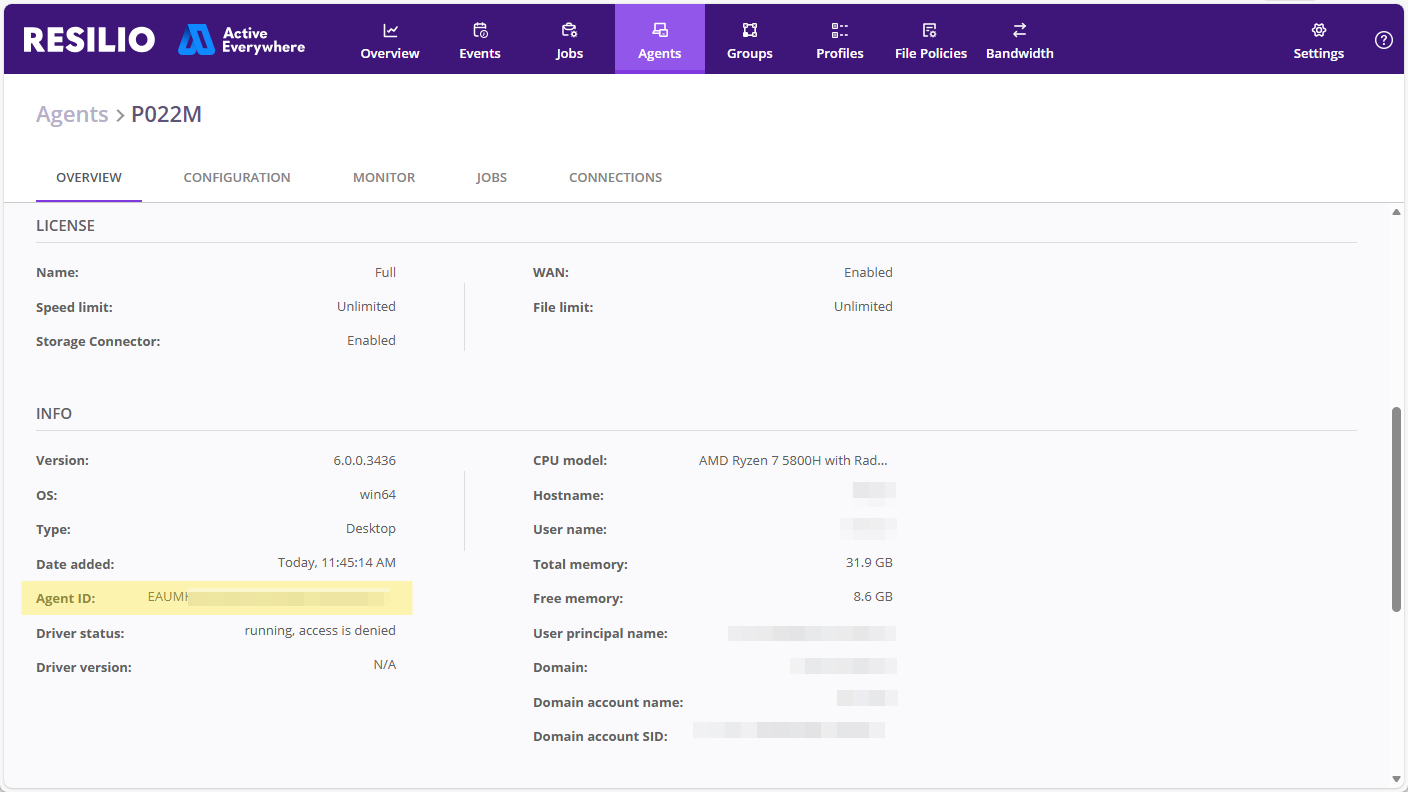
You can find Agent ID in the Agent details view on the Overview tab.
Important
Establishing connections between Agents is a two-way process, so if Agent A is allowed to connect to Agent B, but Agent B is not allowed to connect to Agent A, they won't be able to establish a connection. Make sure that each side has the other side listed in the Allowed peers parameter.
-
Edit the transfer_peers_limit parameter and set it to the number of Agents that will be connecting to the main server(s). This will ensure that the main server(s) can accept all incoming connections from edge Agents.
Note
This parameter won't affect edge Agents.