Approving Agents on the Management Console
Resilio Agents connecting to the Management Console without a valid bootstrap token, must be approved by the Administrator. All users who have "Full Access" to Agents as per user Roles on the Management Console can also approve or decline pending requests.
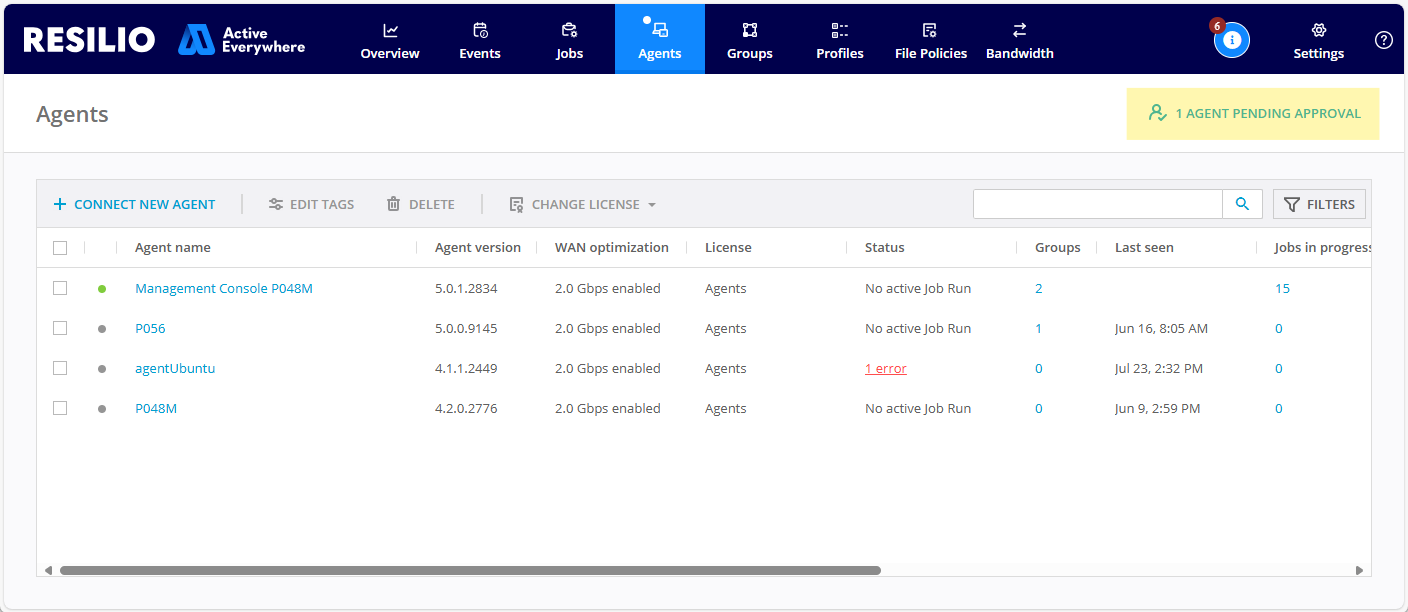
When the Agent requests approval, it sends its client_token to the Management Console which is then stored as "approved" or "declined" in the database on Management Console.
When is approval needed?
Agent connection approval is required in the following scenarios:
- Initial connection of an Agent to Management Console.
After installing an Agent and connecting it to the Management Console without a configuration file, or in case the bootstrap token in the configuration file is invalid. - This scenario is similar to clean installation of Agent when Agent creates new setting files and sends newly created
client_tokento the Management Console. This also means that if for some reason an Agent was not able to properly save its settings, a newclient_tokenwill be generated and an Agent will require approval to connect to the Management Console. - An administrator deletes Agent from the Management Console.
-
Agent attempts to connect to a different Management Console and then switches back to the first one. When an Agent tries connecting to a new Management Console address, it clears the token it sent to the previous Management Console instance.
Example
Agent is connected and approved on
Management Console 1; then the Agent switches connection to aManagement Console 2, either through the Agent UI or it configuration file, and switches back toManagement Console 1, approval will be required again fromManagement Console 1. It shall reconnect as the previously connected Agent (i.e. not new agent) provided the Agent's settings files are the same.
How approval works?
When approving an Agent, the Management Console stores Agent information and its client_token as approved Agents. Until then, the Agent is listed in the pending approval list and shows relevant status in the Agent UI. Once approved, the Agent is listed in the Agents list on the Management Console.
If an Agent goes offline by the time it's approved, the Agent will connect to the Management Console after coming back online.
What if administrator declines a connection?
When a connection is declined, the Agent won't connect to Management Console. The Agent will have to initiate a new connection to the Management Console in order to send a new connection request with a new client_token.
- On Windows and macOS Agents, Agent UI will display a warning. Enter the address of the Management Console again and click Connect to initiate connection.
- On Linux, restart the Agent either with
--serveror--configparameter depending on initial installation flow.