Cannot access executable binaries
Windows may fail to run executable binaries stored in the job folder, with an error message saying that the operating system could not access the file in question. This issue is caused by a known Windows WebDav bug, with available workarounds being to either start the WebDAV service or remove it from the list of network providers.
Solution
-
Start the WebDAV service on the Agent machine. In the elevated command prompt run the following command:
-
Remove the WebDAV service from the list of network providers:
- In Windows registry, navigate to
HKEY_LOCAL_MACHINE\SYSTEM\CurrentControlSet\Control\NetworkProvider\Order -
Double-click
ProviderOrder, removewebclient, then click OK.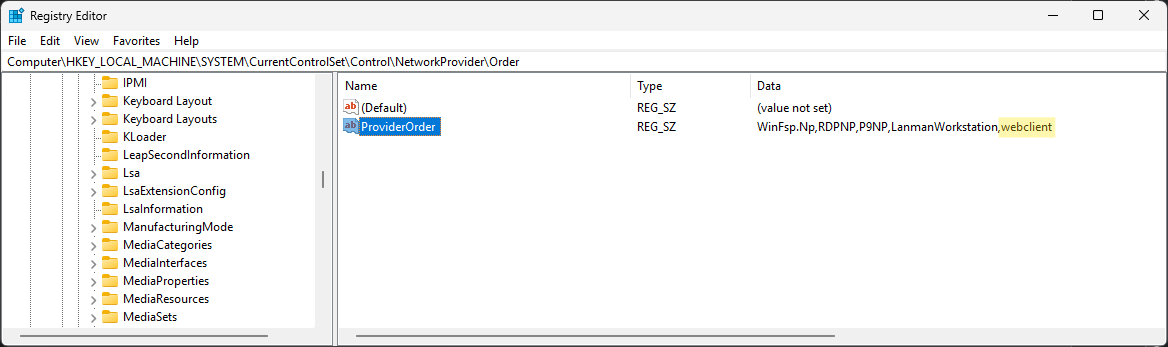
- In Windows registry, navigate to