Failed login and Resetting Password in Resilio Management Console
Blocked user accounts
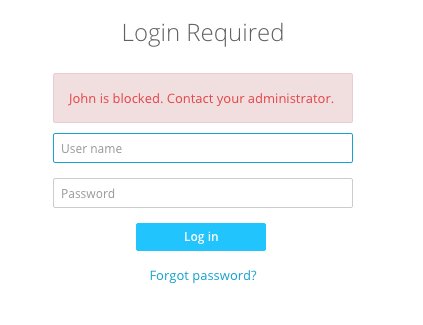
Each User Account in the Management Console is protected with username/password credentials. These are set when the SuperAdmin creates a new user. If an invalid login is attempted 10 times in a row, the user is blocked from the Management Console.
If you'd like to reset the 2-factor authentication code, see Resetting 2FA code.
SuperAdmins can reset the user's password through the Management Console. The SuperAdmin must log in to the Management Console and go to Settings > User. Find the necessary user, select the user, click Edit, and enter a new password for the user.
If the user is blocked, the SuperAdmin must reset the password by clicking on the 'Blocked' status of the user and get the token generated.

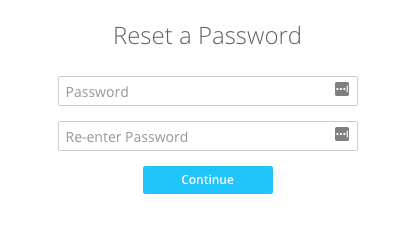
Copy the generated link and paste it into the URL bar. Enter and confirm the new password. This user gets automatically logged in.
Reset credentials manually
If the SuperAdmin cannot reset credentials for a reason (e.g., cannot log in to Management Console as or is away), follow the steps below
- Open Services console (Win + R, “services.msc”) and stop the Resilio Connect Management Console service.
-
Open elevated Command Prompt (run Command Prompt as administrator) and navigate to
C:\Program Files\Resilio Connect Server.cd "C:\Program Files\Resilio Connect Server" -
Run the following command:
srvctrl.cmd resetpassword <username> --appdata <path>where:
<username>is the name of the user account for which you want to reset the password. If you don't remember the username or there are no users, enter any string and you'll be prompted to create such a user.<path>is Management Console's storage folder locationC:\ProgramData\Resilio\Connect Server.
Example:
srvctrl.cmd resetpassword admin --appdata "C:\ProgramData\Resilio\Connect Server" -
Start the Resilio Connect Management Console service and navigate to the link suggested in the command output.
-
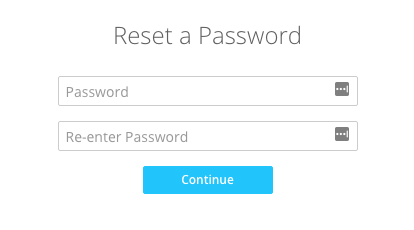
Enter the new password and click Continue.
-
Stop the Management Console:
./srvctrl stop -
Reset password:
./srvctrl resetpassword <username> --appdata <path to srvctrl>/varwhere
<username>is the name of the user account for which you want to reset the password. If you don't remember the username or there are no users, enter any string and you'll be prompted to create such a user.<path to srvctrl>is the location wheresrvctrlis installed.
Example:
./srvctrl resetpassword admin --appdata /pt/resilio-connect-server/var -
Start the Management Console:
./srvctrl start
-
In a web browser, navigate to the link provided in the command output.
-
Enter the new password and click Continue.