Management Console's Agent
Feature availability
- In Resilio 4.2 and newer, the Agent installation is optional. In older versions, the Agent installs automatically.
- Management Console's Agent is not available in Resilio 6.0 and newer; you must install Resilio Agent separately. For more information, see Install Resilio Primary Storage Agent.
Overview
Management Console's Agent is a Resilio Agent instance that you can install along with the Management Console to ease deployment of the Resilio Platform.
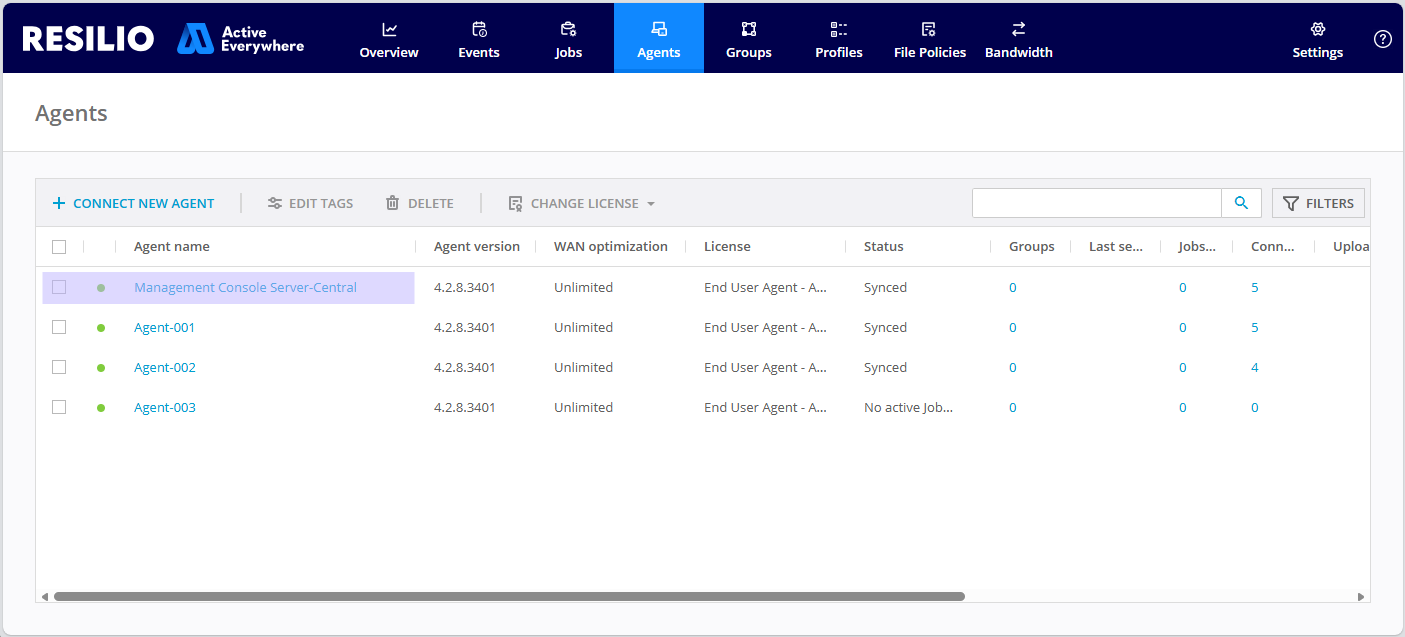
This Agent instance appears in the list of Agents and is named Management Console %name%, where %name% is the hostname configured in system settings.
Info
- The Management Console Agent starts and stops together with the Management Console process, supports path macros, and can participate in all jobs.
- On Windows, the Agent does not register itself as a service.
- On Linux, the Agent runs as
rslagentprocess under the same user as the Management Console.
Updating Management Console Agent's configuration
The Management Console Agent automatically updates its configuration. On restart, the Management Console checks its Agent's configuration. If it has been changed, a new one is generated for the Management Console Agent to make sure it's up and running at all times. If you want to customize your Management Console Agent, edit the sync.conf.template file in the Storage Folder.
Rename the Management Console Agent
To rename the Management Console Agent:
-
Locate and open the
sync.conf.templatefile:- Windows:
C:\ProgramData\Resilio\Connect Server\sync.conf.template - Linux:
{resilio-connect-server}/var/sync.conf.template
- Windows:
-
Edit the
device_nameparameter, or add it if it's missing.
Stop the Management Console Agent
The Management Console Agent is set up to restart automatically on failure. So even if you terminate the process manually, it will relaunch.
To prevent this from happening, you must remove this agent from your deployment.
To remove the Management Console Agent from your deployment:
- Stop Management Console.
-
Locate and delete the Agent's configuration file:
- Windows:
C:\ProgramData\Resilio\Connect Server\sync.conf - Linux:
{resilio-connect-server}/var/sync.conf
- Windows:
-
Delete its storage folder:
- Windows:
C:\ProgramData\Resilio\Connect Server\agent - Linux:
{resilio-connect-server}/agent/.agent/
- Windows:
-
Remove or relocate the executable binary from its location:
- Windows:
C:\Program Files\Resilio Connect Server\agent\Resilio Connect Agent.exe - Linux:
{resilio-connect-server}/agent/rslagent
- Windows:
-
Start Management Console, select Agents, locate and select the Management Console Agent, then click Delete.