Frequently asked questions
Management Console
How do I find Management Console version?
You can determine your Resilio Management Console's version from the Management Console's interface or using the Resilio API.
To determine your Management Console's version:
-
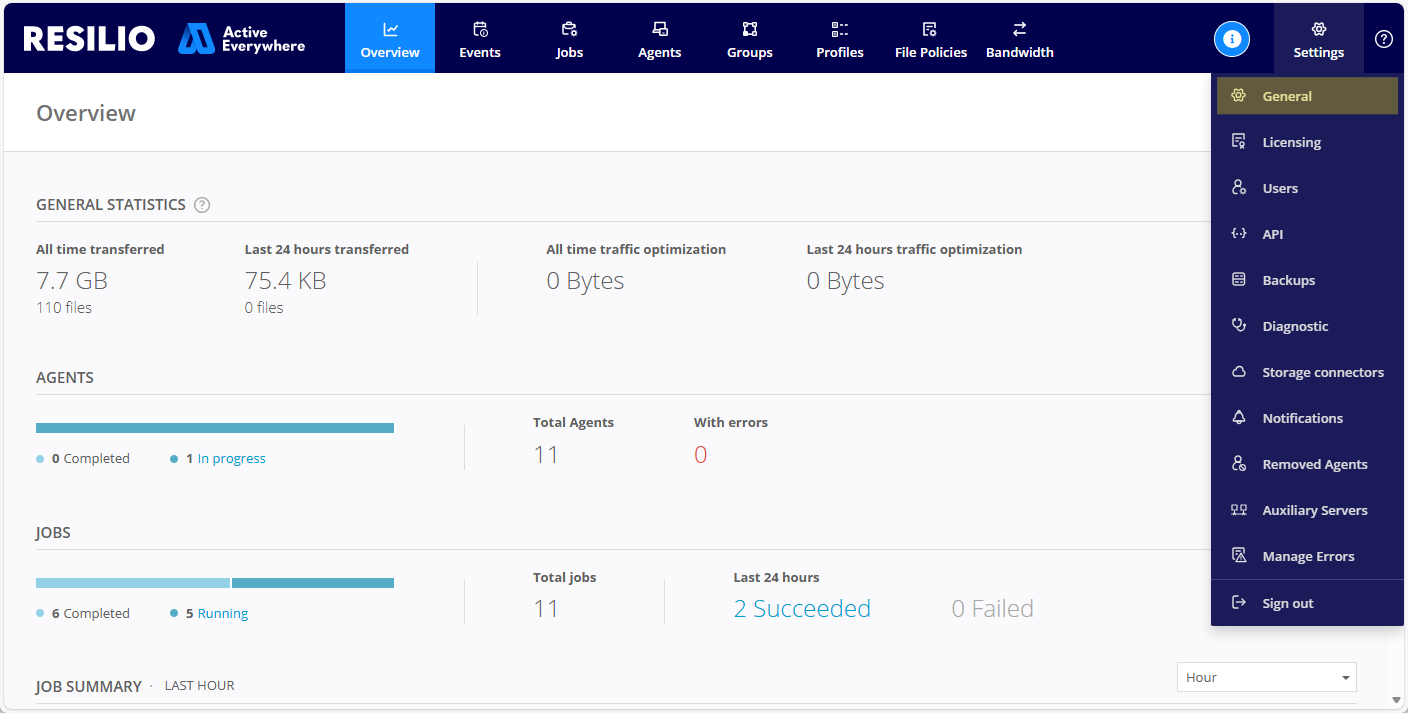
In the Management Console, select Settings > General.
-
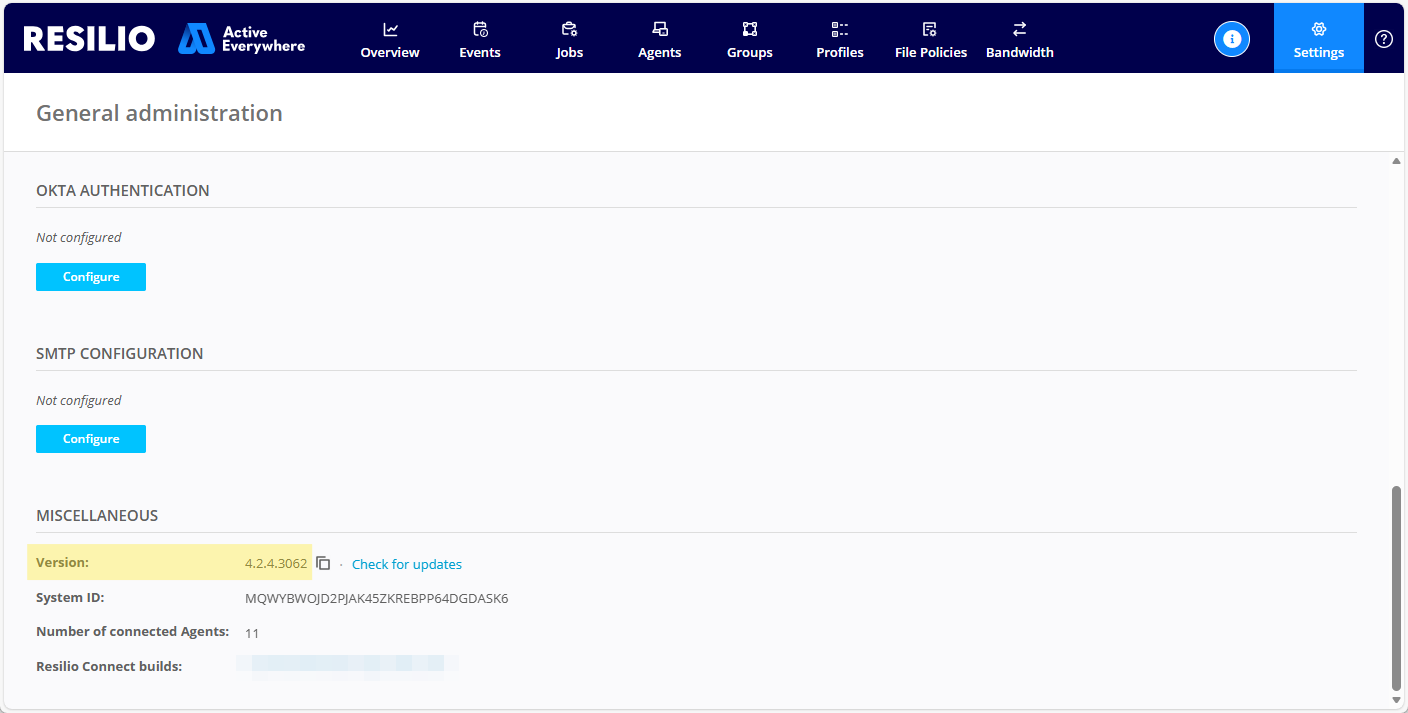
In the Miscellaneous section, locate the version number of your Management Console.
To determine your Management Console's version via the Resilio API, use the Common - Get server information API request.
Sample request
Sample response
How do I retrieve my Resilio license identifier?
You can find your Resilio license identifier in the Management Console or extract it from Management Console's database using command line tools.
To retrieve your license identifier from the Management Console:
- Log in to the Management Console.
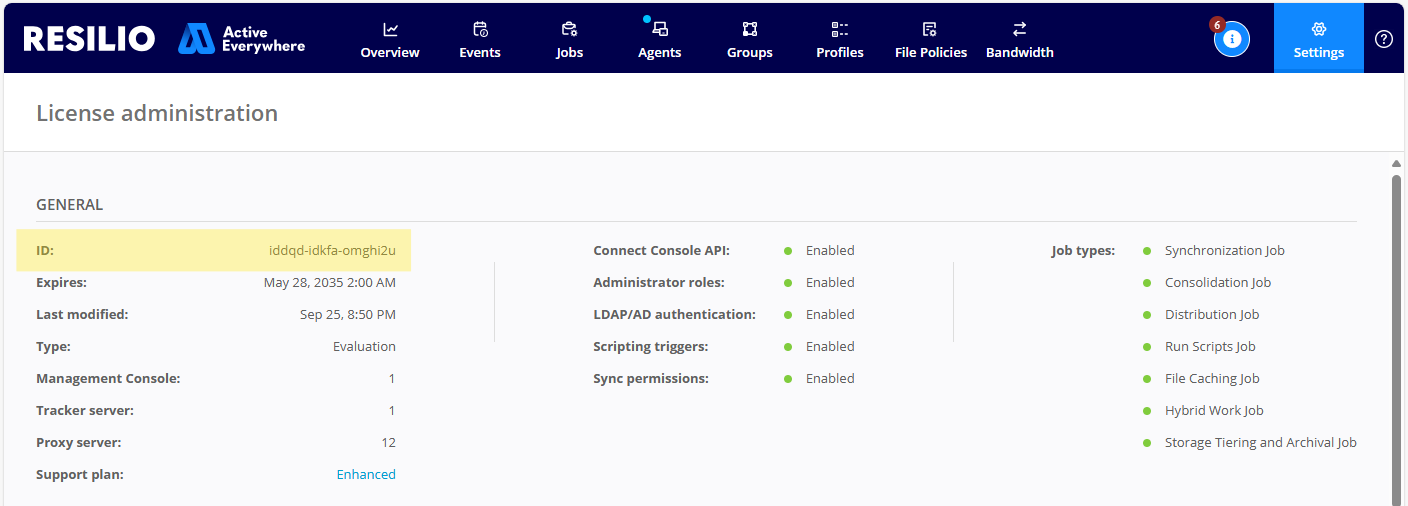
- Select Settings > Licensing.
-
Locate your license identifier in the GENERAL section.
Extracting license identifier using command line requires access to the host where the Management Console is installed.
Warning
Make sure the Management Console service/daemon is not running before you proceed.
Windows
-
In elevated PowerShell, run
Install-Module PSSqlite, agree to install NuGet provider and confirm installation from an untrusted repository.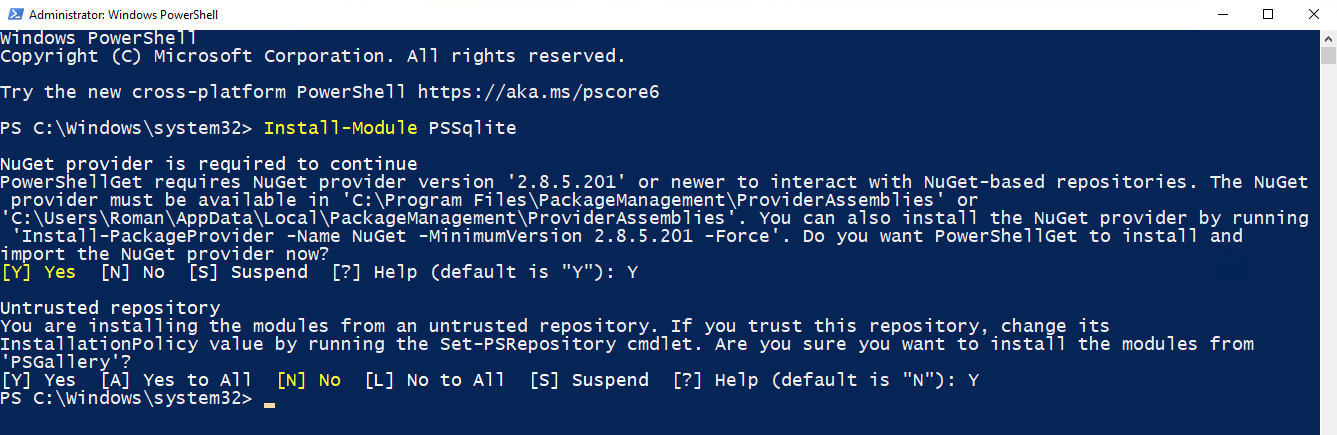
-
Run the following command:
Import-Module PSSQlite; $a = ((Invoke-SqliteQuery -DataSource 'C:\ProgramData\Resilio\Connect Server\data\data.db' -Query "select settings from app_config where id=3;").settings | ConvertFrom-Json).license.TrimStart("btos1_"); $b = ([System.Text.Encoding]::UTF8.GetString([System.Convert]::FromBase64String($a)) | ConvertFrom-Json).d; ([System.Text.Encoding]::UTF8.GetString([System.Convert]::FromBase64String($b)) | ConvertFrom-Json).info.cst
The command's output is the license ID:

Linux
- Install
sqlite3command line tool specific to your Linux distribution. -
Run the following command, specify the correct path to
data.db:sqlite3 "file:/home/ubuntu/resilio-connect-server/var/data/data.db?mode=ro" "select settings from app_config where id=3;" | awk -F '"' '{print $10}' | cut -c 7- | base64 -d | awk -F '"' '{print $8}' | base64 -d | awk -F '"' '{print $94}'
Agents
Is it possible to connect Agents over VPN?
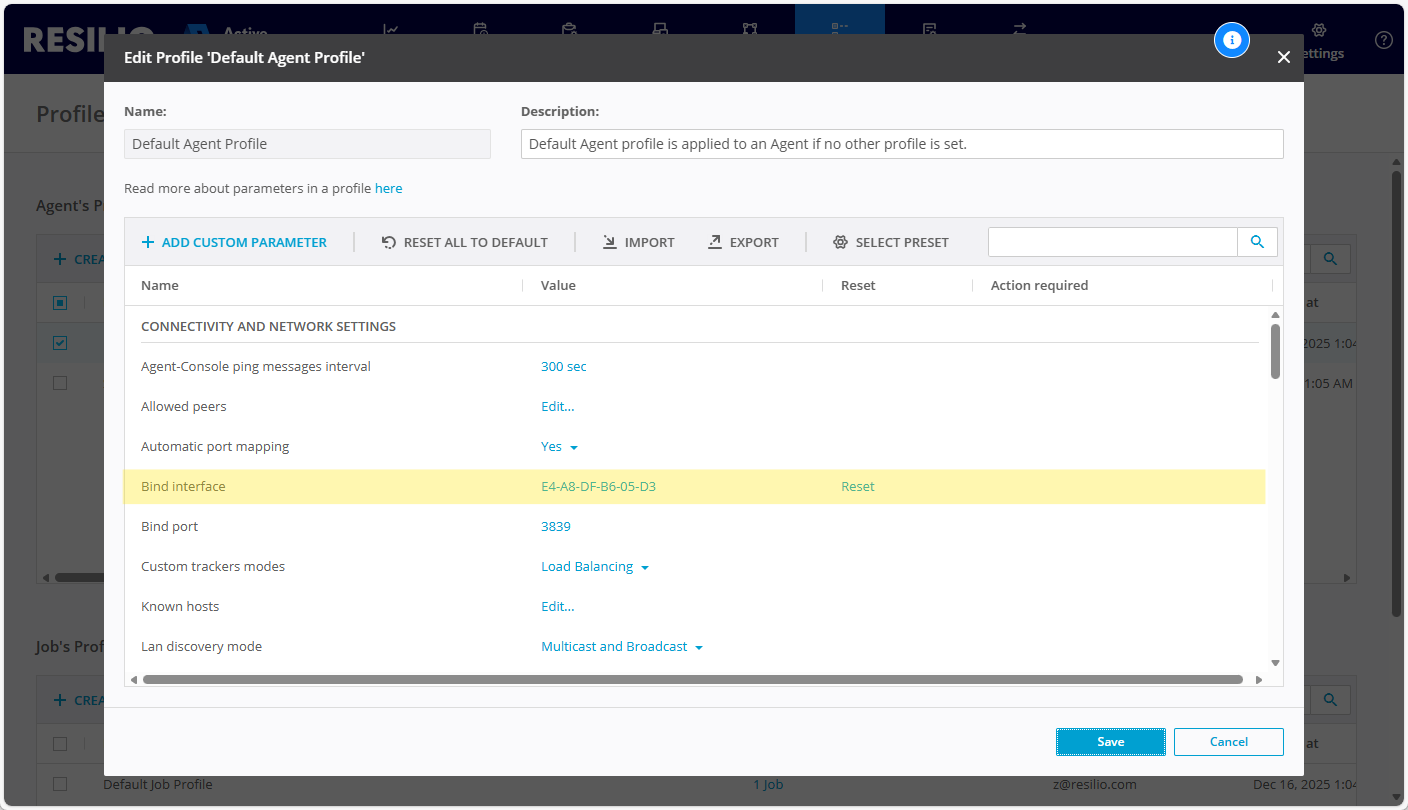
Yes, it is possible to have the Agents connect over VPN by specifying their bind interface in their Profile. To configure Agents to connect over a specific network interface:
-
Edit the Agent Profile, specify the VPN network interface in the Bind interface parameter.
-
Enable the Use bind interface only option to force the Agent to connect over the specified bind interface.
Jobs
Disbribution Jobs
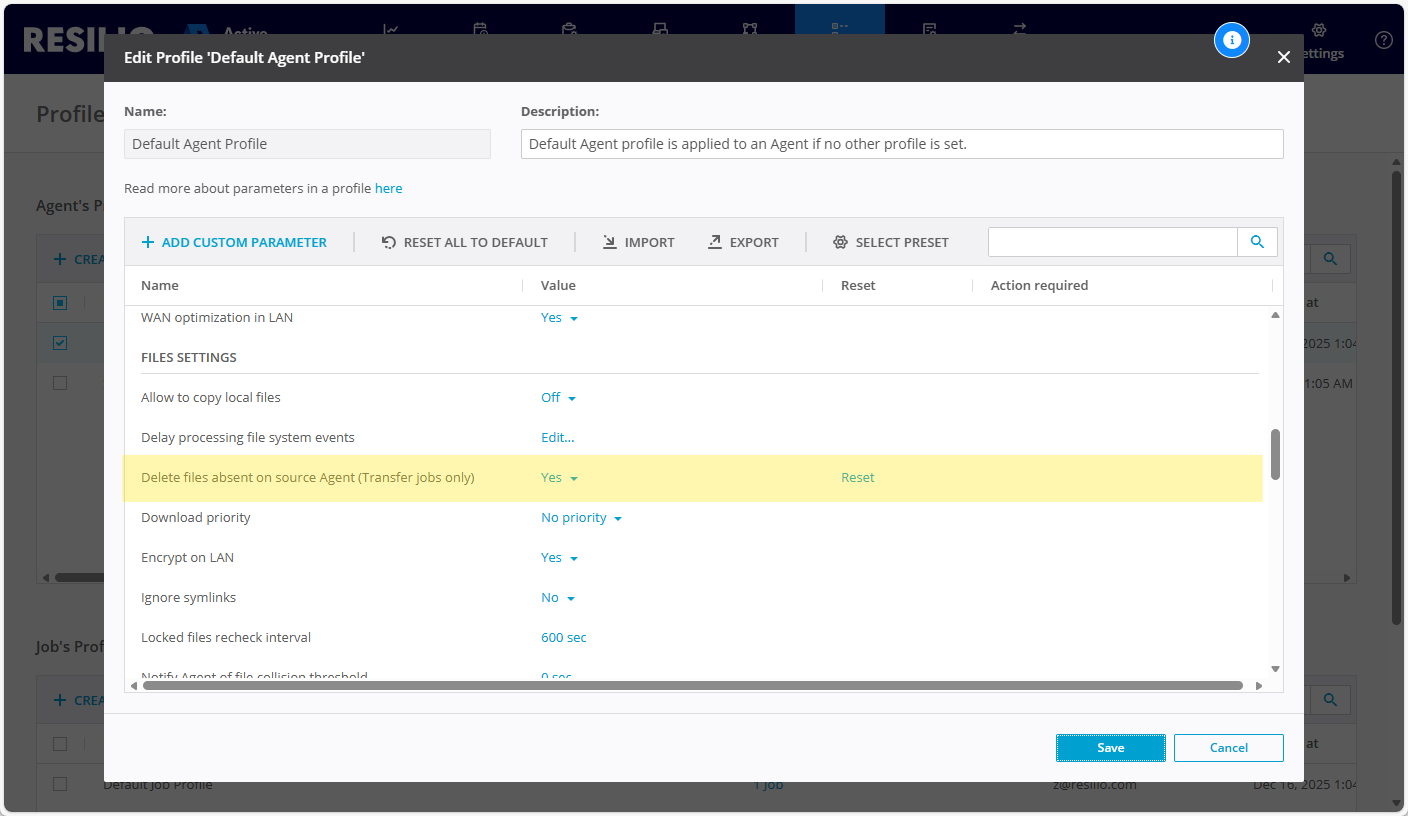
Is it possible for destination Agents in a Disbritubion Job to delete files that are no longer present on the source Agent?
Yes, you can instruct destination Agents in a Distribution Job to delete files that are not present on the source Agent. To do that, enable the Delete files absent on source Agent (Transfer jobs only) option in the Agent Profile.
Warning
If you use the same folder for multiple jobs, enabling this option may cause files that should be kept to be deleted.
Network
Why are there unidentified ports appearing on the network test report?
When performing Network diagnostics test, an unidentified IP address and port number combination might appear in the results. This is most likely a network gateway deployed between that routes the network traffic between the Agents in your deployment.