Not enough free space on the drive
Error code: SE_FS_NOT_ENOUGH_FREE_SPACE
This error occurs when the amount of available storage space falls below a configured threshold. This threshold is defined by either of the Free disk space threshold parameters in the Agent Profile.
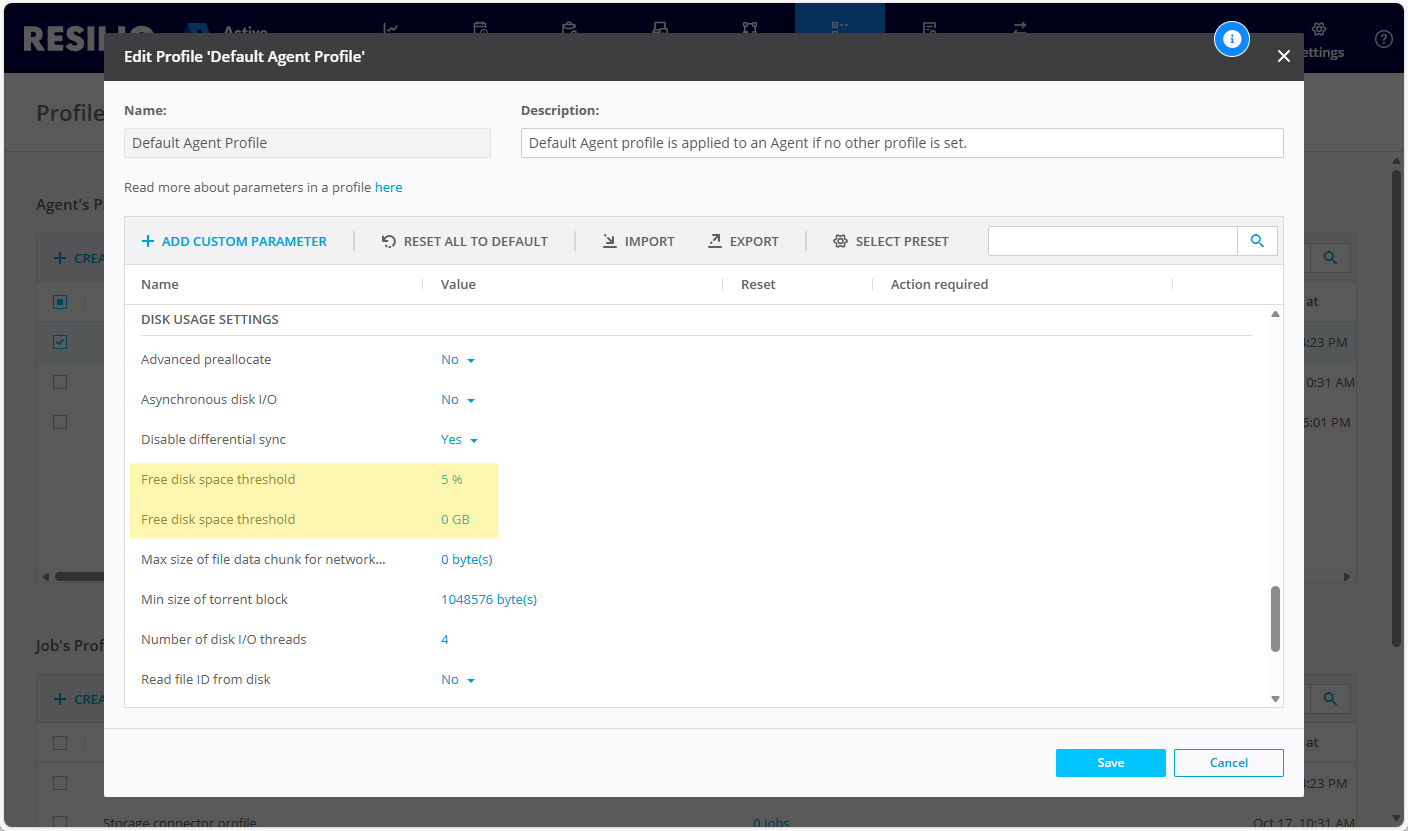
One threshold is expressed as a percentage of the total drive size, while the other is an absolute value in gigabytes (GB).
Example
Free disk space threshold: 10 GB
The Agent will continue downloading data until the available storage falls below 10 GB.
Free disk space threshold: 5%
The Agent will continue downloading data until the available storage falls below 5% of the total storage space. For example, on a 100 GB drive, this equals 5 GB.
During file transfers, the Agent allocates storage without exceeding the configured threshold, ensuring that other applications running on the system are not affected.
Once sufficient storage space is freed up, the Agent resumes transferring data as defined in the Jobs it participates in.
Important
For pre-seeded folders, when downloading a patched file, the Agent reserves twice the required space. The patched file is temporarily downloaded to the .sync subdirectory before being moved to its destination.
Tip
For details on additional storage space used by the Resilio Agent, see Resilio Active Everywhere takes too much space on disk.